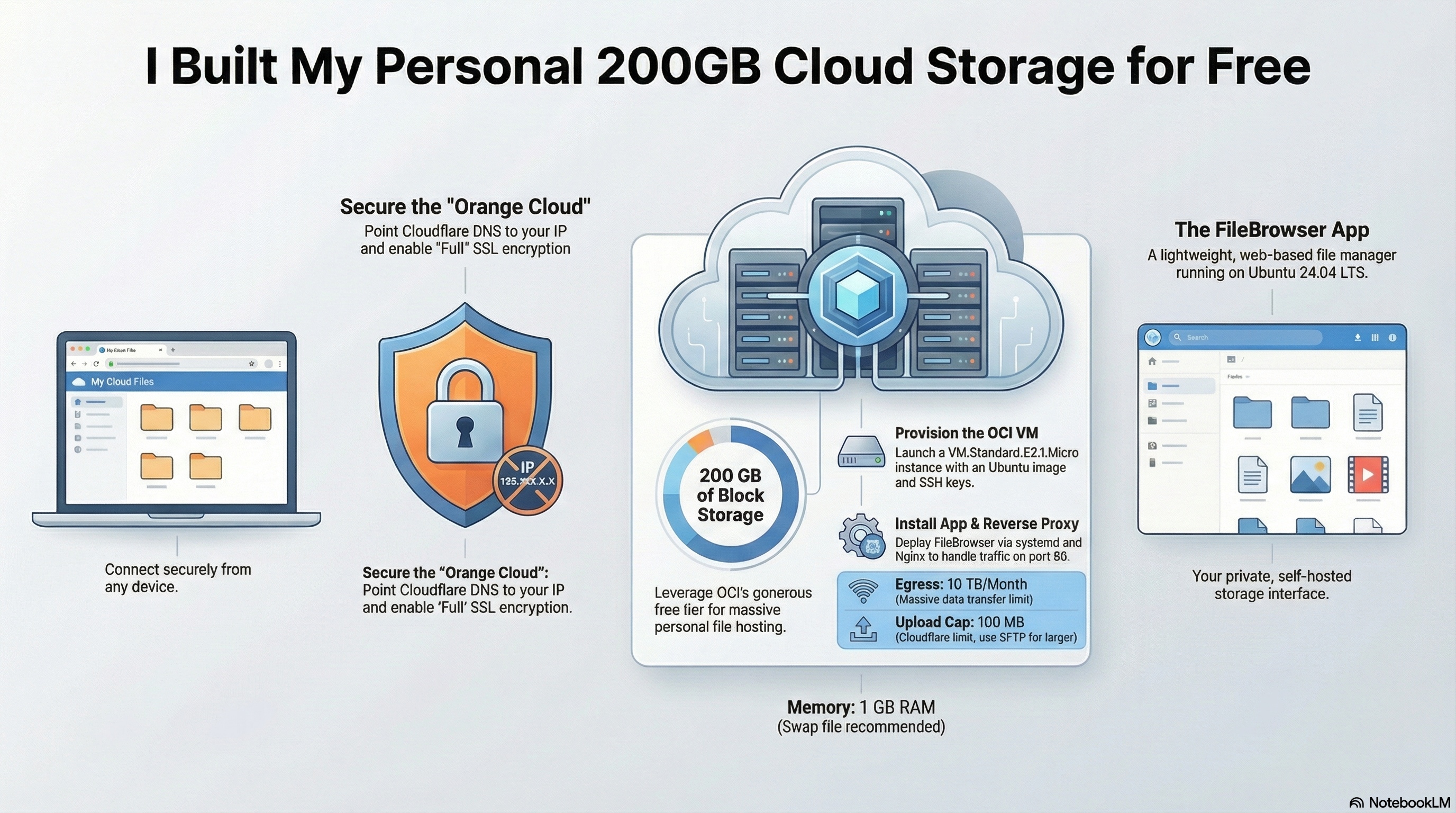
Deploy a personal file manager on Oracle’s always-free cloud, fronted by Cloudflare for SSL termination and origin protection for free.
Traffic flow: browser → Cloudflare (HTTPS :443) → OCI VM (HTTP :80) → Nginx → FileBrowser (:8080). The origin IP is never exposed publicly; Cloudflare handles all TLS.
Prerequisites Link to heading
| Requirement | Notes |
|---|---|
| OCI account | Free tier, identity-verified, payment method on file |
| Cloudflare account | Free plan at cloudflare.com |
| Domain | Active in Cloudflare (nameservers pointed, status “Active”) |
| SSH keypair | Ready locally before you create the VM |
Tech stack Link to heading
| Layer | Component | Role |
|---|---|---|
| Compute | VM.Standard.E2.1.Micro |
Always-free x86-64 VM, 1 OCPU / 1 GB RAM |
| OS | Ubuntu 24.04 LTS | Host operating system |
| Firewall | OCI Security List + ufw |
Two-layer ingress filtering |
| Reverse proxy | Nginx | Forwards port 80 → FileBrowser, restores real IPs |
| App | FileBrowser | Web-based file manager, runs on localhost:8080 |
| Edge / CDN | Cloudflare (free) | SSL termination, orange-proxy, hides origin IP |
| Process manager | systemd | Keeps FileBrowser running across reboots |
Limits Link to heading
VM.Standard.E2.1.Micro is OCI’s x86-64 always-free shape.
- 1 OCPU (AMD) · 1 GB RAM · fixed, not scalable
- OS idle uses ~350 MB — leaves ~650 MB for Nginx + FileBrowser
- 200 GB block storage, 10 TB/month egress
- Cloudflare free plan caps uploads at 100 MB per request — use SCP/SFTP for larger files
- Keep all DNS records orange-proxied
Step 1 — Create the OCI VM Link to heading
In the OCI console: Compute → Instances → Create instance
- Image: Canonical Ubuntu 24.04 (x86_64)
- Shape: Specialty and previous generation →
VM.Standard.E2.1.Micro - Networking: default VCN, public subnet, public IPv4 enabled
- SSH keys: paste your public key
💡 Note the public IP once the instance is running.
Open port 80 in the Security List (OCI’s network firewall sits outside the VM — ufw alone isn’t enough):
Networking → VCN → Security Lists → Default → Add Ingress Rule:
Source CIDR:  0.0.0.0/0   ← locked to CF IPs in Step 6
Protocol:     TCP
Dest port:    80
Port 22 should already be open in the default list.
Step 2 — Server setup Link to heading
ssh -i ~/.ssh/your_key ubuntu@<OCI-PUBLIC-IP>

sudo apt update && sudo apt upgrade -y
sudo apt install -y nginx curl ufw
Configure ufw — always allow SSH first or you’ll lock yourself out:
sudo ufw allow OpenSSH
sudo ufw allow 80/tcp
sudo ufw --force enable
sudo ufw status verbose
Step 3 — Install FileBrowser Link to heading
curl -fsSL https://raw.githubusercontent.com/filebrowser/get/master/get.sh | bash

sudo mkdir -p /etc/filebrowser /srv/filebrowser

filebrowser config init --database /etc/filebrowser/filebrowser.db
filebrowser config set \
  --database /etc/filebrowser/filebrowser.db \
  --root /srv/filebrowser \
  --address 127.0.0.1 \
  --port 8080 \
  --baseurl /

filebrowser users add admin YOUR_SECURE_PASSWORD \
  --database /etc/filebrowser/filebrowser.db \
  --perm.admin
Create the systemd service at /etc/systemd/system/filebrowser.service:
[Unit]
Description=FileBrowser
After=network.target

[Service]
User=www-data
ExecStart=/usr/local/bin/filebrowser --database /etc/filebrowser/filebrowser.db
Restart=on-failure
RestartSec=5s

[Install]
WantedBy=multi-user.target
sudo chown -R www-data:www-data /etc/filebrowser /srv/filebrowser
sudo systemctl daemon-reload
sudo systemctl enable --now filebrowser
Step 4 — Configure Nginx Link to heading
Create /etc/nginx/sites-available/filebrowser:
server {
    listen 80;
    server_name files.yourdomain.com;

    # Restore real visitor IP from Cloudflare
    set_real_ip_from 173.245.48.0/20;
    set_real_ip_from 103.21.244.0/22;
    set_real_ip_from 103.22.200.0/22;
    set_real_ip_from 103.31.4.0/22;
    set_real_ip_from 141.101.64.0/18;
    set_real_ip_from 108.162.192.0/18;
    set_real_ip_from 190.93.240.0/20;
    set_real_ip_from 188.114.96.0/20;
    set_real_ip_from 197.234.240.0/22;
    set_real_ip_from 198.41.128.0/17;
    set_real_ip_from 162.158.0.0/15;
    set_real_ip_from 104.16.0.0/13;
    set_real_ip_from 104.24.0.0/14;
    set_real_ip_from 172.64.0.0/13;
    set_real_ip_from 131.0.72.0/22;
    set_real_ip_from 2400:cb00::/32;
    set_real_ip_from 2606:4700::/32;
    set_real_ip_from 2803:f800::/32;
    set_real_ip_from 2405:b500::/32;
    set_real_ip_from 2405:8100::/32;
    set_real_ip_from 2a06:98c0::/29;
    set_real_ip_from 2c0f:f248::/32;
    real_ip_header CF-Connecting-IP;

    location / {
        proxy_pass         http://127.0.0.1:8080;
        proxy_set_header   Host              $host;
        proxy_set_header   X-Real-IP         $remote_addr;
        proxy_set_header   X-Forwarded-For   $proxy_add_x_forwarded_for;
        proxy_set_header   X-Forwarded-Proto $scheme;
        client_max_body_size 0;    # Cloudflare free caps at 100 MB anyway
        proxy_read_timeout   300s;
        proxy_send_timeout   300s;
    }
}
sudo ln -s /etc/nginx/sites-available/filebrowser /etc/nginx/sites-enabled/
sudo nginx -t && sudo systemctl enable --now nginx
Step 5 — Cloudflare DNS and SSL Link to heading
- DNS → Records → Add record: type
A, namefiles (any subdomain you like), value = OCI public IP, proxy = Proxied (orange cloud) - SSL/TLS → Overview → mode: Full (not Full Strict — origin is HTTP only)
- SSL/TLS → Edge Certificates → enable Always Use HTTPS
Step 6 — Lock origin to Cloudflare IPs only Link to heading
Replace the open port 80 rule with per-CIDR rules:
sudo ufw delete allow 80/tcp

for cidr in \
  173.245.48.0/20 103.21.244.0/22 103.22.200.0/22 \
  103.31.4.0/22 141.101.64.0/18 108.162.192.0/18 \
  190.93.240.0/20 188.114.96.0/20 197.234.240.0/22 \
  198.41.128.0/17 162.158.0.0/15 104.16.0.0/13 \
  104.24.0.0/14 172.64.0.0/13 131.0.72.0/22; do
  sudo ufw allow from $cidr to any port 80 proto tcp
done

sudo ufw status numbered
Also replace the 0.0.0.0/0 ingress rule in the OCI Security List with one rule per Cloudflare CIDR. Traffic blocked at the OCI network layer never reaches the VM at all.
Verification Link to heading
sudo systemctl status filebrowser nginx    # both should be active
free -h                                    # confirm memory isn't maxed
curl -s http://127.0.0.1:8080 | head -3   # FileBrowser responds locally
curl --max-time 5 http://<OCI-IP>         # should time out — origin locked
Then visit https://files.yourdomain.com in a browser.
💡 Replace the one you set at Step 5.
Maintenance Link to heading
Swap file — recommended given the 1 GB RAM ceiling:
sudo fallocate -l 512M /swapfile && sudo chmod 600 /swapfile
sudo mkswap /swapfile && sudo swapon /swapfile
echo '/swapfile none swap sw 0 0' | sudo tee -a /etc/fstab
Update FileBrowser: re-run the install script, then sudo systemctl restart filebrowser.
Update Cloudflare IP ranges: check https://www.cloudflare.com/ips-v4 periodically and re-run the ufw loop above.
Large file transfers: SCP or SFTP directly into /srv/filebrowser to bypass the 100 MB Cloudflare cap.